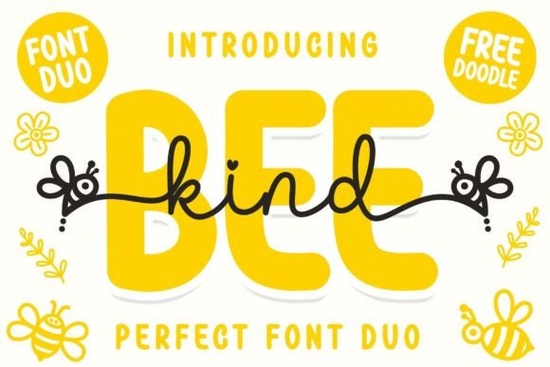
If you’re looking for a font that feels cheerful, friendly, and just a little bit sweet, the Bee Kind Duo Font might be exactly what your next project needs. Designed with playful curves and inspired by buzzing little bees, this duo includes both a script and a sans display style perfect for pairing together or using separately on greeting cards, kids’ party invites, baby shower decor, or even print-on-demand stickers and mugs. It’s especially handy if you work with handmade crafts or small business branding aimed at younger audiences or lighthearted themes.
What makes this font stand out is how easy it is to use. It’s PUA encoded, which means all those cute swashes, alternate letters, and decorative glyphs are accessible without needing special software tricks. Just open your design tool whether it’s Canva, Silhouette Studio, Cricut Design Space, or Adobe Illustrator and start typing. The characters will show up naturally as you toggle through stylistic sets or use the glyph panel.
Who is this font best for?
If you create designs for children’s products, birthday parties, baby announcements, or anything with a whimsical, hand-drawn vibe, Bee Kind fits right in. Teachers making classroom posters, Etsy sellers crafting personalized gifts, or small bakery owners designing cupcake toppers all of these folks will find value here. The sans display version gives you clean, bold headlines, while the script adds that personal, handwritten touch. Together, they balance fun and function.
You might also like checking out Chicago Downton if you want something with vintage flair, or Letterland for educational or alphabet-themed projects. If soft, bouncy scripts are your thing, Maybe Tomorrow has a similar cozy feel. For more casual handwriting styles, Lazy Dog offers relaxed charm, and Roselya Script brings elegant flourishes without being too formal.
How do I install and use Bee Kind Duo?
Once you download the files from Creative Fabrica (usually OTF or TTF formats), installation is simple:
- Windows: Right-click the font file and choose “Install.”
- Mac: Double-click the file and click “Install Font” in Font Book.
- Cricut/Silhouette users: Install system-wide first, then restart your design software.
After that, the font will appear in any program that uses system fonts. To access swashes or alternates, look for OpenType features in your software’s character or typography panel. In Illustrator, it’s under “Window > Type > Glyphs.” In Canva, some alternates may appear as you type though full glyph support varies by platform.
What kinds of projects work well with this font?
Here are a few ideas to get you started:
- Birthday invitations Pair the script with the sans for headers and body text.
- Kids’ room decor Think wall decals with phrases like “Little Bee” or “Sweet as Honey.”
- Printable activity sheets Use the sans version for clear instructions and titles.
- Stickers and labels Great for honey jars, snack bags, or teacher reward tags.
- Social media graphics Especially for spring, summer, or nature-themed posts.
The bee theme isn’t overpowering there are no actual bee illustrations in the font but the rounded terminals and bouncy baseline give off that same warm, buzzy energy. It’s subtle enough to work beyond literal bee projects, too. Try it on Mother’s Day cards (“Bee You-Tiful”) or garden party flyers.
Is this font compatible with commercial use?
Yes. When you purchase Bee Kind Duo Font from Creative Fabrica, you get a commercial license. That means you can use it to make physical or digital products to sell whether that’s printed t-shirts, downloadable SVG bundles, or PDF planners. Always double-check the specific license terms included with your download, but generally, Creative Fabrica’s standard license covers most small business and POD needs.
Any tips for getting the most out of this font?
A few practical suggestions:
- Don’t over-style. The script already has personality avoid adding too many effects like heavy shadows or outlines.
- Pair wisely. Use the sans version for contrast. Avoid pairing with other overly decorative fonts.
- Test readability. At small sizes, some swashes might become hard to read reserve those for headlines or large-format prints.
- Layer with icons. Add simple bee or flower graphics (from Creative Fabrica’s icon sets) to enhance the theme without cluttering your design.
If you’re still exploring your options, take a peek at Chicago Downton, Letterland, Maybe Tomorrow, Lazy Dog, and Roselya Script to compare styles and see what fits your brand or project best.
Next step: Download a sample or preview the glyphs before purchasing many designers find that seeing the alternates in action helps them visualize how the font will work in their own layouts. And if you’re planning to use this across multiple platforms, test it in your most-used software first to ensure glyph compatibility.
Get Started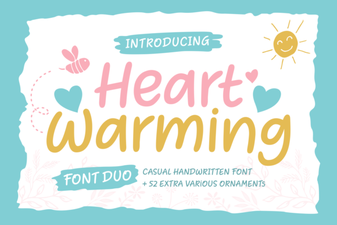 Heartwarming Fonts to Elevate Your Designs
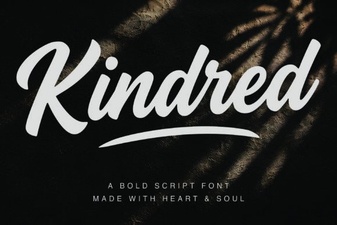 Kindred Font: Stylish Typography for Modern Projects
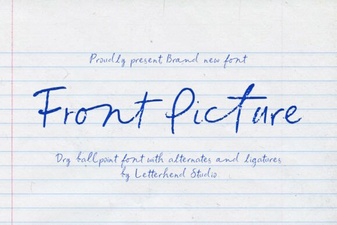 Choosing the Right Font for Your Front Page Design
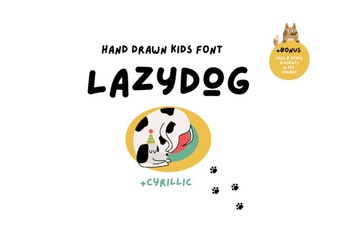 Lazydog Font: Casual Designs and Creative Projects
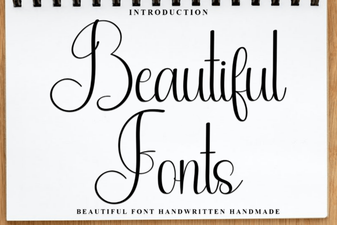 Beautiful Font Designs for Creative Projects
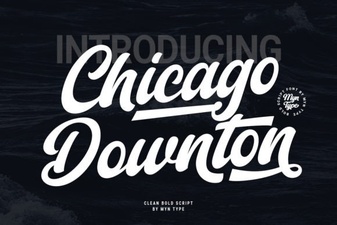 The Chicago Downton Font for Your Design Projects