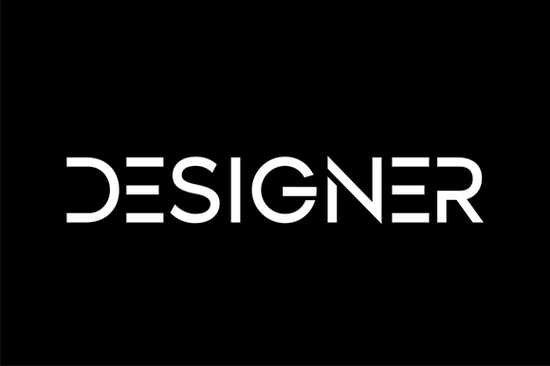
If you’ve been searching for a display font that feels effortlessly clean but still full of personality, Designer might be exactly what your next project needs. It’s not flashy or overly stylized instead, it leans into simplicity with a casual rhythm that works whether you’re designing a wedding invitation or a bold poster for your small business.
What makes this font stand out is how naturally the letters sit together. There’s no crowding, no awkward spacing just a smooth, balanced flow that lets your message breathe. You don’t need to tweak kerning or wrestle with alignment; it’s built to look polished right out of the box.
Who is this font actually good for?
If you’re a crafter working on vinyl decals or printable quote art, you’ll appreciate how Designer keeps things tidy without feeling stiff. Print-on-demand sellers will find it reliable for everything from t-shirt slogans to tote bag quotes especially when paired with minimal layouts or natural textures.
Small business owners can use it confidently in logos, social media graphics, or packaging labels. And if you’re just someone who enjoys making birthday cards or seasonal decor at home, its friendly-but-polished tone fits right in. It doesn’t scream for attention it invites it.
How does it compare to other casual display fonts?
Not every “simple” font delivers on readability or charm. Some feel too rigid, others too sloppy. Designer finds a sweet spot think of it as the typographic equivalent of well-fitting jeans: comfortable, versatile, and quietly stylish.
If you’ve tried fonts like Shocking Palm Cake for tropical themes or Happy Brush for hand-lettered energy, you know how mood-specific those can be. Designer doesn’t lock you into one vibe. It adapts.
Even compared to bolder choices like Steel or holiday-focused ones like Welcome Christmas, Designer holds its own by being understated. It’s the kind of font you reach for when you want your words to feel intentional not overwhelmed by style.
What kinds of projects does it work best with?
- Branding materials business cards, shop signs, email headers
- Printables planners, calendars, quote prints
- Craft projects iron-on transfers, wood signs, embroidery patterns
- Social media Instagram stories, Pinterest pins, YouTube thumbnails
- Seasonal designs not holiday-specific, but pairs beautifully with themed elements
Because of its neutral-but-friendly character, it layers well with photos, illustrations, or patterned backgrounds. Try it over a faded linen texture for a boutique label, or centered on a solid color for a modern quote graphic. It doesn’t fight for dominance it enhances.
Any tips for getting the most out of it?
Here’s the thing: Designer doesn’t need heavy styling to shine. A few thoughtful tweaks go a long way:
- Pair it with a clean sans-serif for body text something like Montserrat or Lato keeps the focus where it belongs.
- Avoid all-caps unless spacing is adjusted slightly the lowercase letters have more personality.
- Use generous margins. Let the font breathe it rewards white space.
- Stick to medium or large sizes. It’s a display font, so tiny uses lose its charm.
You can also experiment with subtle effects a soft drop shadow, light gradient overlay, or even a single-color duotone background. But resist the urge to over-style. The beauty here is in restraint.
Where can I see it in action?
The Designer Font page includes real mockups showing how it looks on mugs, posters, and apparel. Scroll through to get a feel for scale and context seeing it applied helps more than staring at a character map.
And if you’re curious about licensing (which you should be, especially for commercial POD or client work), Creative Fabrica’s standard license covers most small business uses. Always double-check based on your specific project, but for typical crafters and designers, it’s worry-free.
Ready to try it? Here’s your quick checklist:
- Download the font files (.OTF and .TTF usually included)
- Install on your system or upload to your design tool (Canva, Silhouette, Cricut, etc.)
- Test it at different sizes notice how spacing holds up
- Pair it with one complementary font, not three
- Save your favorite combos as presets for future projects
Fonts like this don’t come around often the kind that feel useful, not trendy. Whether you’re whipping up a last-minute gift tag or building a brand identity, Designer stays out of your way while quietly making everything look better.
Explore Design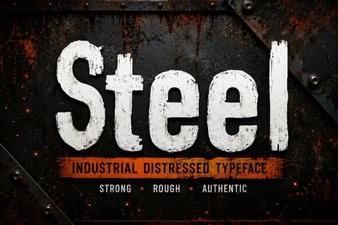 Crafting Bold Projects with Steel Fonts
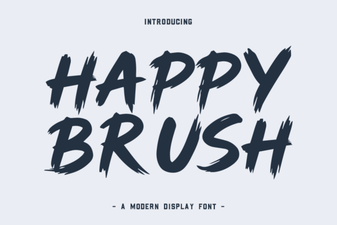 Happy Brush Font: Creative Handwritten Typography Projects
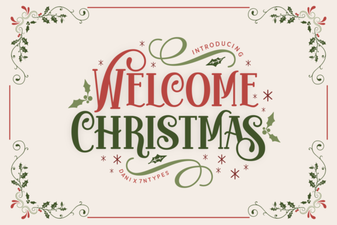 Festive Typography: Welcome Christmas Fonts
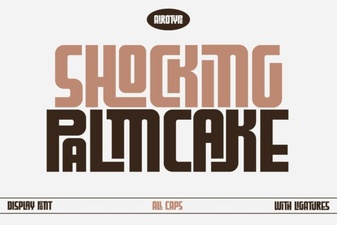 Fresh Project Ideas Using the Shocking Palm Cake Font
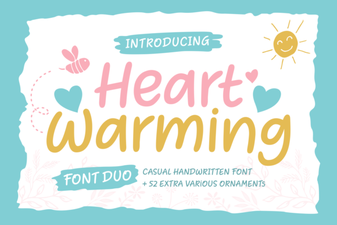 Heartwarming Fonts to Elevate Your Designs
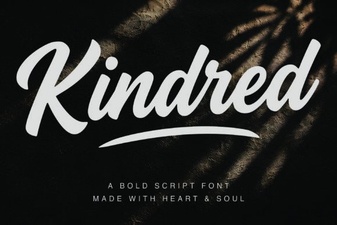 Kindred Font: Stylish Typography for Modern Projects