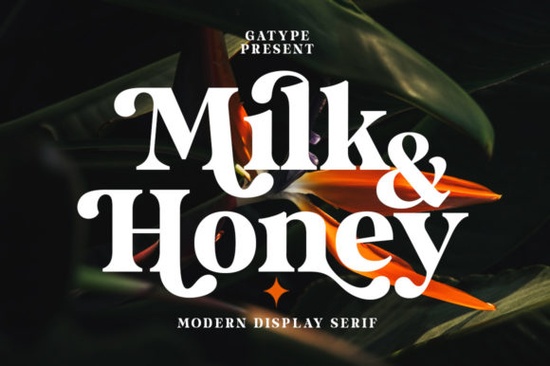
If you’ve been searching for a bold serif font that feels modern but still carries classic weight, the Milk and Honey Font might be exactly what your next project needs. It’s thick, stylish, and surprisingly flexible whether you’re designing wedding invites, branding materials, or printable wall art. What makes it especially handy is its PUA encoding, meaning all those extra glyphs and swashes are just a click away in most design software. No digging through character maps or installing separate files.
What kind of projects work best with Milk and Honey?
This font shines when you want something eye-catching but not overly ornate. Think:
- Logo designs for cafes, boutiques, or handmade brands
- Quote graphics for social media or print-on-demand products
- Wedding stationery menus, place cards, or signage
- Book covers or headers where you need strong visual impact
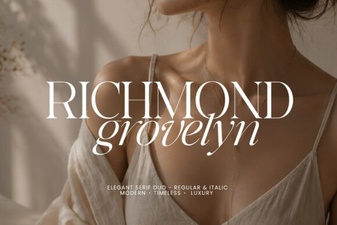
Because it’s a serif with generous letterforms, it holds up well even at smaller sizes though it really sings when used large. Pair it with clean sans-serifs or handwritten scripts to balance its presence. If you like this style, you might also enjoy browsing Sharp History or Richmond Grovelyn, both of which offer similar boldness with their own personality.
Why does PUA encoding matter for designers?
PUA stands for “Private Use Area,” and while that sounds technical, it simply means all the special characters alternate letters, flourishes, ligatures are mapped directly into the font file. You don’t need plugins or extra steps to access them. In programs like Adobe Illustrator, Canva, or Affinity Designer, you can usually open the glyph panel and scroll or search to find what you need. This saves time and lets you experiment freely without breaking your workflow.
For crafters using Cricut or Silhouette machines, this is especially helpful. You can copy-paste exactly what you want from the glyph panel into your cutting software, no conversion needed. Just make sure your software supports OpenType features most modern tools do.
How does it compare to other trendy serifs?
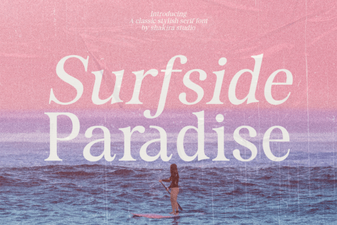
Fonts like Surfside Paradise lean more playful and retro, while Strong goes ultra-minimalist. Milk and Honey sits comfortably in the middle structured enough for professional use, but with enough flair to feel personal. It doesn’t scream “vintage” or “corporate.” Instead, it adapts. Use it for a rustic bakery label or a modern boutique tag context changes its tone.
You can see how it stacks up visually by checking out Milk and Honey Font on Creative Fabrica, where you’ll also find user previews and mockups.
Can I use this for commercial projects?
Yes with a standard license from Creative Fabrica, you’re cleared to use Milk and Honey in client work, POD platforms (like Etsy or Redbubble), and even physical products you sell. Always double-check the license terms after purchase, but generally, their fonts include broad commercial rights. That’s a big reason why so many small business owners and side-hustle creators stick with their library.
One tip: if you’re using it for logos or trademarks, consider tweaking the letterforms slightly to make your design truly unique. Even small adjustments like swapping an alternate ‘g’ or adding a custom underline can help avoid generic-looking results.
Any tricks for getting the most out of this font?
A few simple ideas:
- Play with tracking loosen the spacing slightly for headlines to let each letter breathe.
- Use swashes sparingly one well-placed flourish at the start or end of a word often looks better than decorating every letter.
- Layer with textures try placing the text over grainy paper or watercolor backgrounds to soften its boldness.
- Stick to short phrases this font works best in titles, names, or punchy statements, not long paragraphs.
If you’re pairing it with another font, keep the secondary typeface simple. A neutral sans-serif like Montserrat or Lato will let Milk and Honey take center stage without competing.
Ready to give it a try? Whether you’re refreshing your brand, making holiday cards, or building a new product line, this font gives you room to experiment without needing advanced typography skills. And if you’re already using other serifs from Creative Fabrica, it slots right in alongside favorites like this one yes, that’s its own category page, useful for finding similar styles later.
Next step: Download and test drive
Grab the font, install it, and open your favorite design tool. Type out your business name, a favorite quote, or a product title. Then open the glyph panel and scroll through the alternates. See what catches your eye. Sometimes the best designs come from happy accidents like stumbling on the perfect swash you didn’t know existed.
Try It Free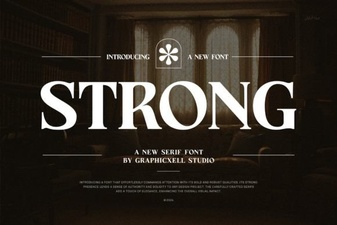 Choosing the Right Strong Font for Your Designs
 Surfside Paradise Font for Web Design Projects
 Richmond Grovelyn: Typography Projects & Ideas
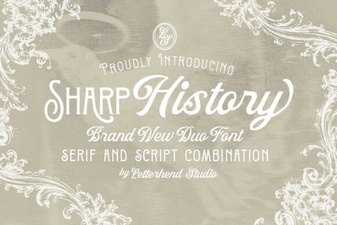 Sharp History Font: Designs & Project Ideas
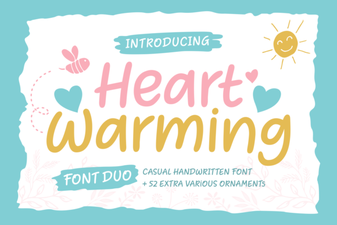 Heartwarming Fonts to Elevate Your Designs
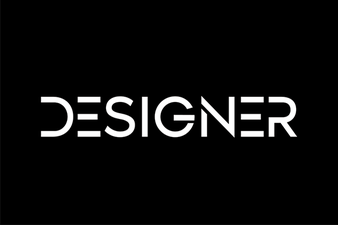 Designer Font Inspiration for Your Creative Projects